Advertising in ChatGPT: a SaaS founder's first test plan

A lot of SaaS buying now starts with a question to an AI assistant: "What's the best tool for X if I use Stripe?" Until this year, the only way to show up in that moment was to be the answer. Now there's a second way. ChatGPT shows ads, and since May, any business can buy them.
It's early. There are no reliable benchmarks yet, and anyone who tells you what a "good" click price is in ChatGPT is guessing. But the rules of the program are public, and they tell you a lot about how to test it without wasting money. Here's what we know as of July 2026, and how I'd run a first test for a SaaS product.
What's actually public

- January 16, 2026. OpenAI announced that it would start testing ads for logged-in adults in the US on the Free and Go plans. Plus, Pro, Business and Enterprise subscriptions don't include ads. The first format sits at the bottom of an answer "when there's a relevant sponsored product or service based on your current conversation", clearly labeled and separate from the answer.
- February 9, 2026. The test went live in the US with a small group of advertisers.
- May 5, 2026. OpenAI opened it up: a beta self-serve Ads Manager, buying through agency and technology partners, cost-per-click bidding alongside the original cost-per-impression, and conversion measurement through a pixel and a Conversions API.
The principles matter as much as the features. OpenAI says ads don't influence the answers, advertisers don't get access to conversations, users can turn off personalization, ads aren't shown to people under 18, and they're not eligible to appear near sensitive or regulated topics like health, mental health or politics. Advertisers get aggregated performance data, not individual conversations.
What that means for a SaaS company
The audience is Free and Go users. People using ChatGPT through a Business or Enterprise workspace won't see your ads. So if you sell to large companies, the buyer you want may never see them at work. If you sell to founders, freelancers and small teams, many of them use the free or low-cost plans, and this could be a real channel.
Targeting is about the conversation, not keywords. The ad shows up when it's relevant to what the person is asking about right now. That changes how you should think about it. In search, you bid on "subscription analytics". In ChatGPT, the person has usually explained their situation: their billing system, their size, the problem they're trying to solve. The ad that wins is the one that fits that situation, not the one with the cleverest headline.
The answer is still earned. Since ads don't influence the answer, being recommended in the answer itself is still the bigger prize. That comes from clear product pages, honest comparison pages (we keep ours for ChartMogul and Baremetrics factual and dated), good documentation and third-party reviews. Ads sit next to that; they don't replace it. We publish our docs as plain markdown and an llms.txt file for exactly this reason.
My first test plan

1. Pick one problem, not your whole product. Choose the single question your best customers were asking before they found you. For us, that's something like "how do I see my real MRR from Stripe". Write the ad as a direct, specific answer to that question.
2. Send people to a page that continues the conversation. Not your home page. A page about exactly the problem they asked about, with a way to try it immediately. For many SaaS products, a live demo converts better than a signup form here, because the person is still evaluating.
3. Start with CPC and a fixed budget. Cost per click means you pay for people who showed interest, which is the right shape for an experiment in a new channel. Decide the budget up front and treat it as the price of learning.
4. Set up measurement before you spend anything. Install the pixel or the Conversions API and send back the events that matter: trial started, demo viewed, and ideally paid conversion. Clicks alone will fool you.
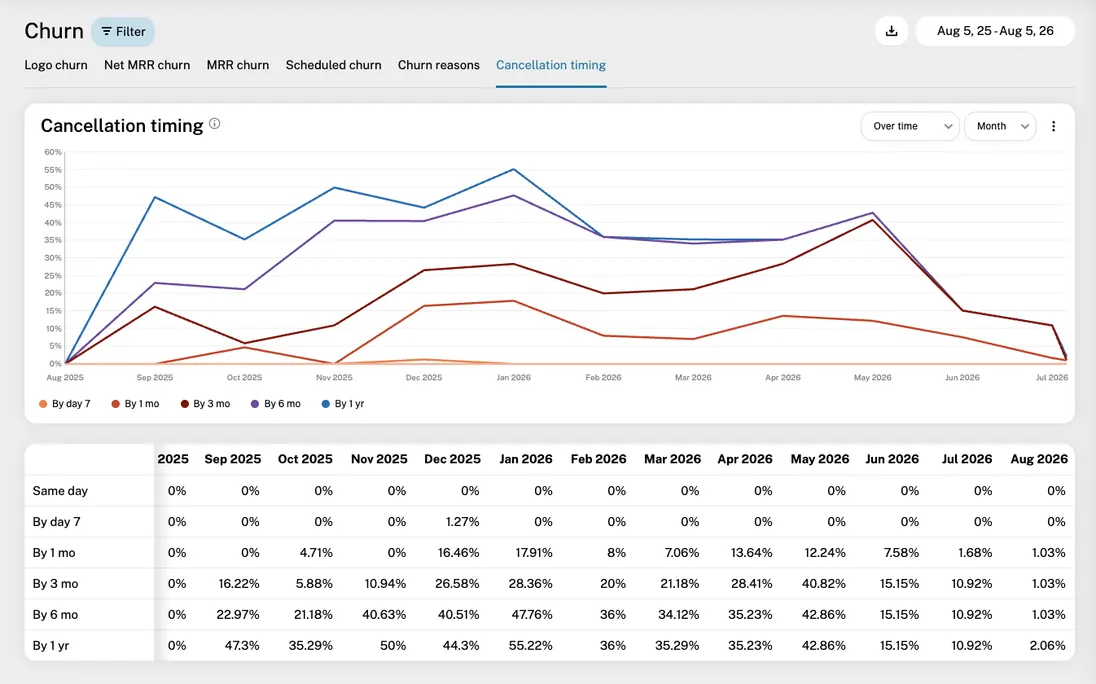
5. Tie it to revenue, not signups. Tag customers who came from this channel in your billing system and follow them for a few months. A channel that brings signups who never pay, or who churn after one month, isn't a channel. Compare CAC payback and early retention against your other channels.
6. Decide your kill criterion in advance. For example: if the customers from this test won't pay back their acquisition cost within 12 months at the retention you're seeing, stop. Write it down before the test starts, so you don't talk yourself into continuing.
How to judge the result
The trap with a new, exciting channel is to judge it on activity: impressions, clicks, a nice click-through rate. What you actually need to know is whether it brings customers who stay. That means looking at new MRR from the channel, how those customers retain, and how long it takes to earn back what you spent.
GrowPanel reads custom fields like acquisition source from your billing data, so you can break down new MRR, churn and cohorts by channel and see which channels bring customers who stay. If you want to see how that looks, explore the live demo.
I'll update this post as the program develops. It's early, the rules may change, and the only benchmarks worth trusting right now are your own.

Founder & CEO
Lasse is the founder of GrowPanel. He previously founded Mouseflow, scaling it from $0 to $10M ARR before exiting. He also co-founded Soundvenue and actively invests in SaaS startups.
View full profile →